













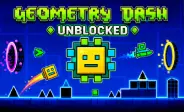
 Geometry Dash Unblocked
Fill the form and submit.










Geometry Dash Unblocked
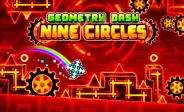
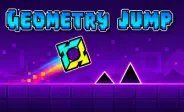
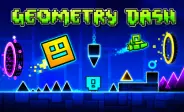
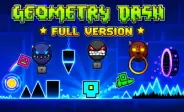
Geometry Dash Unblocked delivers a fast platform adventure filled with music, jumps, and tricky paths. You guide a small icon that moves ahead on its own. Your task is to jump over spikes and stay away from dangerous objects. The controls are easy, but each stage needs careful timing and focus. Music helps you understand the flow of the level. Quick restarts let you try again, learn from mistakes, and slowly improve your skills with every new run you make.
How to Play
Your main goal is to guide the moving icon safely to the end of each stage. The character travels forward without your help, so you only need to focus on actions and timing. Watch the path closely and make a move before reaching spikes, blocks, or empty gaps.
A crash ends your current run. You can then restart and try the same path again. Each attempt gives you more time to learn the order of obstacles. Instead of clicking without a plan, notice where dangers appear and prepare for them early.
Music can also guide your actions. Some jumps and level changes match the song's beat. Listening while playing may help you find a steady rhythm.
Game Controls
The control system is easy to understand:
-
Left Click: Jump or control the active movement form.
-
Spacebar: Press to perform a jump on supported versions.
-
Up Arrow: Use it as another jump control.
-
Hold: Keep an action active in sections that allow held input.
-
Mobile Tap: Touch the screen to jump or move through flying parts.
Controls may react differently when your icon changes form. Pay attention after entering a portal and quickly adjust your input.
Learn the Different Movement Forms
Some sections change the shape and movement of your icon. Each form has its own control style, making stages feel more varied.
The cube uses simple jumps to cross spikes and gaps. A ship can move higher when you hold the control and fall when you release it. The ball can switch gravity and travel between upper and lower paths. UFO movement uses short taps to move through the air.
Learning these forms takes practice. Do not use the same timing for every shape. Watch how the icon reacts and change your control style when needed.
Helpful Gameplay Tips
These simple tips can make hard stages easier:
-
Use Practice Mode: Place checkpoints and repeat difficult areas.
-
Study the Path: Look at spikes, platforms, and other objects before jumping.
-
Follow the Beat: Use music to build better jump timing.
-
Avoid Fast Clicking: Random inputs can cause poor jumps and early crashes.
-
Remember Hard Parts: Learn the order of traps through repeated attempts.
Stay patient during difficult sections. A stage may feel confusing at first, but the path becomes clearer after several runs.
More Rhythm Games to Explore
If you enjoy music-based platform action, try these similar games:
-
Geometry Dash SubZero: Play colorful stages with fast action and strong music.
-
Geometry Dash Meltdown: Cross short levels filled with sharp traps and quick jumps.
-
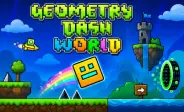
Geometry Dash World: Travel through themed areas and complete ten rhythm stages.
These games use similar controls but offer different music, level designs, and visual themes.
How Can User Play This Game On School Chrome Unblocked?
GD World can be played on a school Chrome Un through a browser-based game website if gaming pages are allowed by the school network. Open Chrome, visit the game page, and wait for the game to load. You can then start playing directly in the browser without installing extra software.
Use the Chromebook keyboard or supported controls to guide the character and time each jump carefully. If the game page is restricted by your school or network administrator, follow the school's internet rules rather than trying to bypass security filters. Browser play makes it easy to enjoy quick runs on compatible Chromebooks during permitted free time.