













 Spacebar Clicker
Fill the form and submit.



Spacebar Clicker
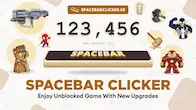
Spacebar Clicker is a fun online clicking game that also works as a simple spacebar test. It lets you check whether your keyboard's spacebar is working correctly while challenging you to click as fast as possible. Every tap increases your score, making the game exciting and rewarding. As your score grows, you unlock automatic upgrades that help you earn points even faster. The game is easy to play, runs in any web browser, and does not require any downloads. Whether you want to improve your clicking speed, test your keyboard, or simply enjoy a relaxing idle game, this clicker offers a fun experience for players of all ages.
How To Play Spacebar Clicker Games?
Open the game in your web browser and read the basic instructions before you begin. Press the spacebar or click the mouse button as quickly as possible to earn points. Every click increases your score and moves you closer to unlocking new upgrades.
As your total score grows, helpful upgrades become available. Early upgrades provide automatic clicks every few seconds, while later ones add even more points each second without extra effort. Keep clicking, unlock better upgrades, and watch your score grow faster.
Feature Of Spacebar Clicker Game
Access Anywhere
Use our spacebar clicker tool on any device – be it a laptop, mobile, or tablet. Enjoy this versatile, user-friendly tool from anywhere, enhancing your spacebar speed at no cost.
No Need Download
What makes this tool more engaging and easy to access is the user-friendly webpage. Users do not need to get involved in the process of downloading and installing an application. One is flexible to test their spacebar clicking speed online, eliminating the hassle of downloading.
Access Unblocked Version
Designed to bypass school firewalls, our spacebar Clicker game, powered by the latest AI technology, offers students access to an unblocked, fun gaming experience even within strict school network restrictions.
Save & Reset Progress
The specialty of our tool is the 'Auto-save' feature developed by our team. This feature aids users to pause their game, take a break, and resume back from where they left off. Their progress is auto-saved, so they may either continue or reset to begin from the start.
Why Is the Spacebar Clicker So Addictive?
The game is simple, but every click gives you a reward. Watching your score increase after each tap makes you want to keep playing. Unlocking upgrades adds another layer of excitement because your points continue growing automatically.
As stronger upgrades become available, your score rises even when you are not clicking constantly. This steady progress makes every new milestone feel rewarding and encourages players to reach even higher scores.
How To Score 1M Points Easily?
To score 1 million points easily in a spacebar clicker game, focus on rapid, consistent clicking and utilize any available upgrades.
Invest In Upgrades
The best way to reach the 1M points goal is by unlocking new upgrades. The faster you tap, the closer you get to unlocking upgrades, and once you do so, the counter gets incremented by 3 or 20 points every second automatically, hence boosting your score high.
Don’t Forget Gaming Keyboards
Another effective alternative is purchasing a gaming keyboard. What makes a gaming keyboard different from other keyboards is its tactile effect, and anti-ghosting features aid users in increasing their speed by registering keystrokes smoothly. It will, therefore, aid you in achieving a 1M score effectively.
Dual-Keyboard Mastery
If you do not find the above tricks effective, then practice dual-keyboard mastery. One might be thinking, what does this mean? Dual-keyboard mastery is nothing but using two keyboards simultaneously to tap the spacebar key speedily and easily score 1M points.
FAQs
Is There A Way To Automatically Click The Spacebar?
Yes, one may go for an auto key presser to do so, but we highly prohibit its use because it is illegal to use auto clickers in playing online games and can get you banned from the site.
What Happens If I Take A Break Or Close The Game?
One does not need to panic about it. Users have the flexibility to pause the game and take a break as the tool has the feature to auto-save your progress with time.
Can I Play With Friends?
Unfortunately, as of now, we do not have any such feature, but users can challenge their friends and family to take up the spacebar challenge and beat their scores.