
















 Geometry Dash Breeze
Fill the form and submit.















Geometry Dash Breeze
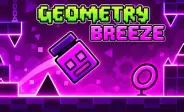
Geometry Dash Breeze is a fan-made browser game inspired by the popular GD series. It keeps the fast platforming action of the original games but gives it a softer and more relaxed visual style. The game uses lighter colors and a wind-inspired theme that makes the levels feel different from the darker or more intense stages found in some official games.
The gameplay is simple to understand. You control a character, avoid dangerous objects, and move through each level while following the music. The game can be a useful introduction for players who are new to rhythm-based platform games.
How the Gameplay Works
The main idea is to move through each level without hitting an obstacle. When you play as the cube, you can jump over spikes and other hazards with a click, tap, or key press. Other game forms can change how you move, so you need to learn their controls as you progress.
Music plays an important role during each stage. Obstacles are often placed around the rhythm of the soundtrack, so listening carefully can help you understand when to jump or change your movement.
Unlike the full official Geometry Dash games, this fan-made browser version uses ready-made levels. You do not need to create an account or build your own stages.
Controls You Need to Know
The controls are easy, which lets you focus on timing and avoiding obstacles.
- Space, Click, or Tap: Jump with the cube or activate the current form
- Hold: Move upward while using the ship
- Release: Move downward while using the ship
- Esc: Pause the game or return to the menu
The controls may look simple, but good timing is still important. A small mistake can cause your character to hit a spike or another obstacle.
Tips for Better Runs
Learning the rhythm can make each level easier. Instead of watching only the character, pay attention to the music and try to predict upcoming actions.
- Listen to the soundtrack: Many obstacles match the beat, so the music can give you a useful timing clue.
- Watch the level pattern: Try to remember where spikes, gaps, and other hazards appear. Knowing what comes next can help you react earlier.
- Use steady movements: Avoid pressing keys too quickly. Controlled jumps and movements are often easier to manage.
- Practice difficult sections: If you keep failing at one part, focus on learning its timing instead of rushing through the whole level.
- Stay focused: Even simple sections can become difficult if you lose concentration. Keep your eyes on the path and listen to the beat.
Other Games to Explore
- Geometry Dash SubZero – A short but challenging Geometry Dash experience with three official levels. It features unique visuals, energetic music, and tricky obstacle patterns.
- Geometry Dash Meltdown – This version adds a fiery theme with three official levels. Each stage combines rhythmic gameplay with different traps and timing challenges.
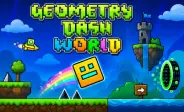
- Geometry Dash World – Explore ten official levels across two worlds. It introduces colorful stages, new music, and obstacle patterns that test your reaction and rhythm skills.
Frequently Asked Questions
Is Geometry Dash Breeze an Official Game?
No. Geometry Dash Breeze is a fan-created browser game based on the ideas and gameplay style of the Geometry Dash series. It is not an official RobTop release.
Is Geometry Dash Breeze Easy?
It has a gentler difficulty style than many challenging Geometry Dash levels. The simpler layouts and lower obstacle density can make it easier for new players to learn basic movement and timing.
Does It Have Practice Mode?
The official Geometry Dash games include Practice Mode with checkpoints. A fan-made browser version such as Breeze may not provide the same feature. If there are no checkpoints, reaching an obstacle may require you to restart the level from the beginning.